
Upload your files
Add .ttf, .otf, .woff, or .woff2 fonts with drag-and-drop. Each upload gets a live preview that shows the font in its own typeface.
Font Hub
Font Hub is Sketchbug's library for typefaces. Upload font files to your account, preview them in their own style, publish favorites to the community, and pick any saved font when you place text on the canvas.
Add .ttf, .otf, .woff, or .woff2 fonts with drag-and-drop. Each upload gets a live preview that shows the font in its own typeface.
Publish fonts from your library so other artists can like, download, and save them for their own sketches.
Select any font from your library when you add or edit text in the sketch editor.
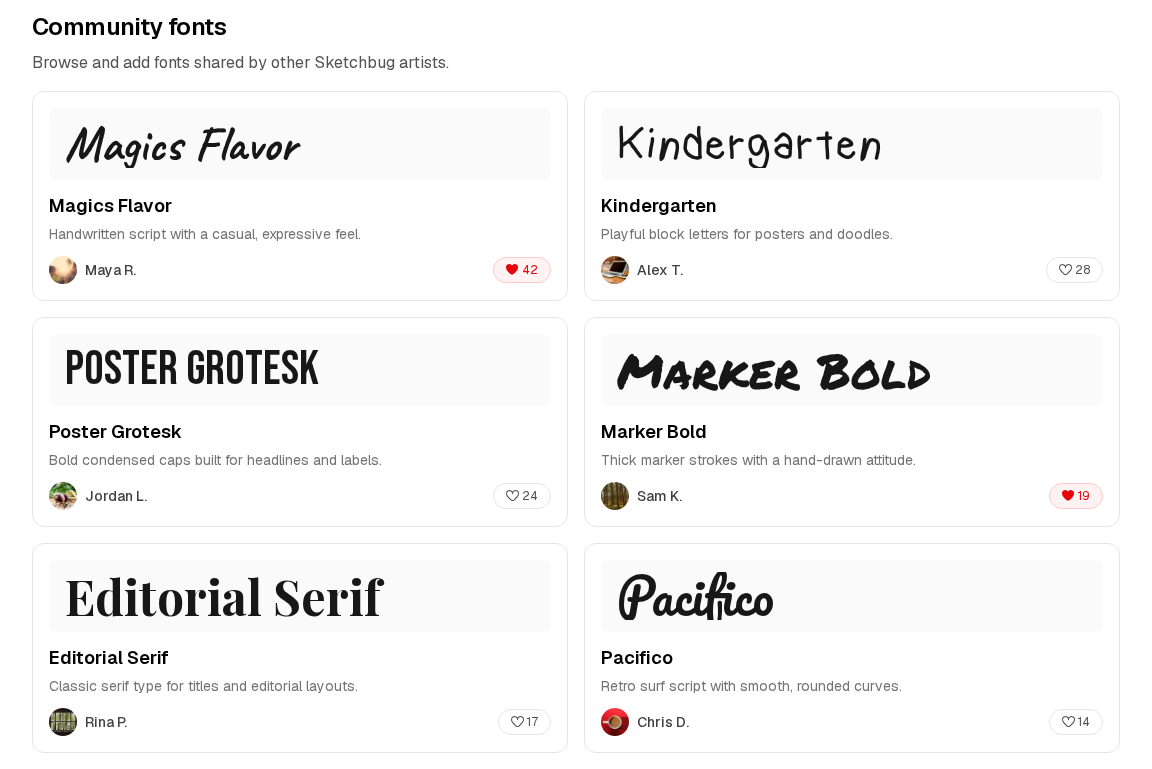
Browse fonts shared by other creators and add the ones you like to your personal library in one click.
Explore community fonts by newest uploads, likes, or downloads to find popular typefaces and fresh releases.
See which artists are sharing the most-loved fonts across the community.
Open Font Hub from your library, go to the Upload tab, and add a font file with an optional name and description.
Share your upload to the community, or browse other artists' fonts and save the ones you want to use.
Use the text tool in the sketch editor and choose a font from the selector that appears on your text selection.
Font Hub accepts .ttf, .otf, .woff, and .woff2 files up to 8 MB. Uploaded fonts are stored in your account and loaded in the browser when you use them in a sketch.
Yes. Font Hub is part of your signed-in library. Uploading, saving community fonts, and using them in sketches all require an account.
Place or select a text layer in the sketch editor. The font dropdown appears on the text controls so you can switch between your uploaded fonts and the system default.
More answers on the FAQ.
Also in Sketchbug
Create custom brushes, share them with the community, and use them while you sketch online.
Learn more